


Insureds who have PHC accounts now have the option to schedule premium payments in the PHC for greater flexibility.
HOW IT WORKS
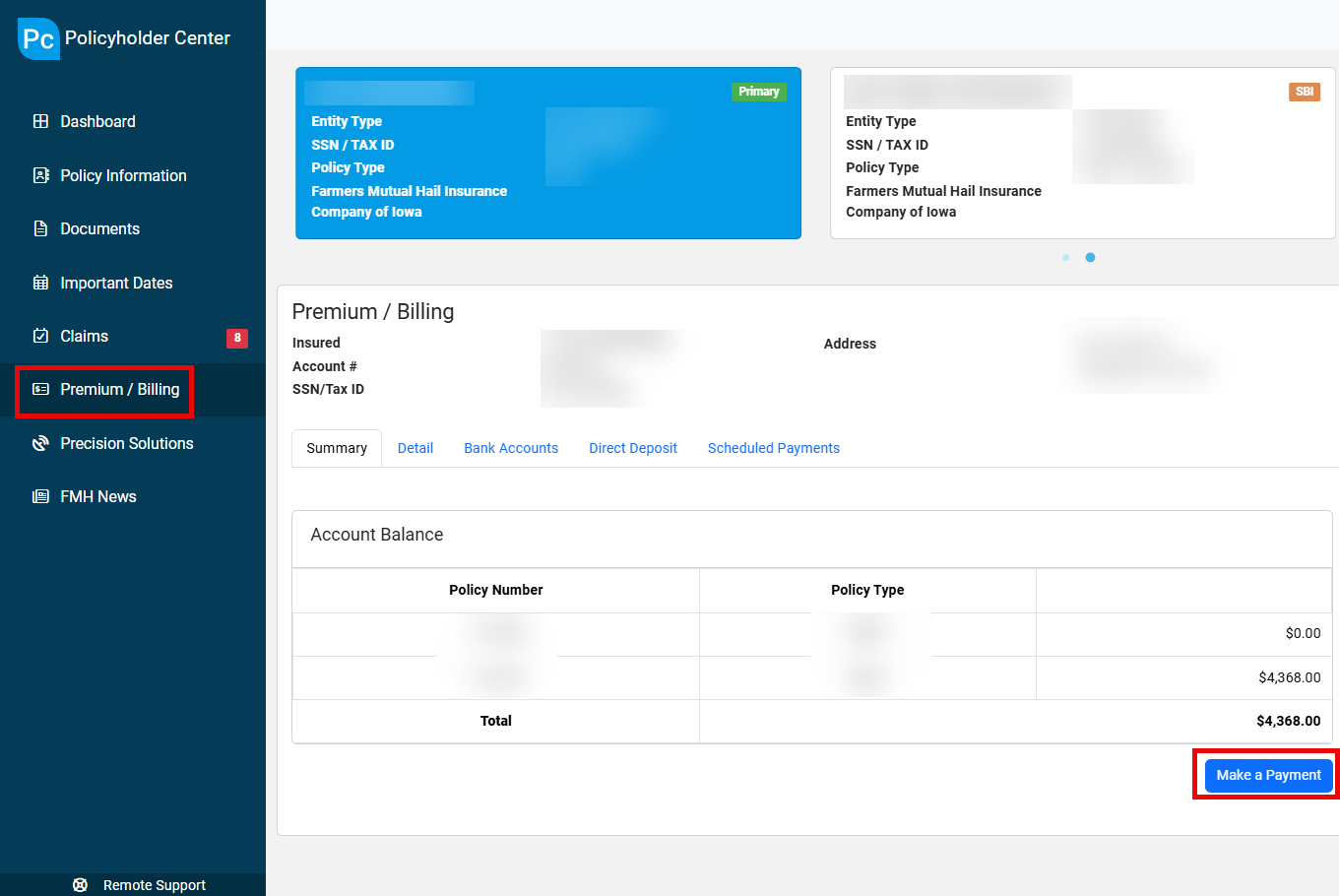
- You will navigate to Premium / Billing in the PHC and select Make a Payment (below). There must be an Account Balance on the account in order to schedule a payment.
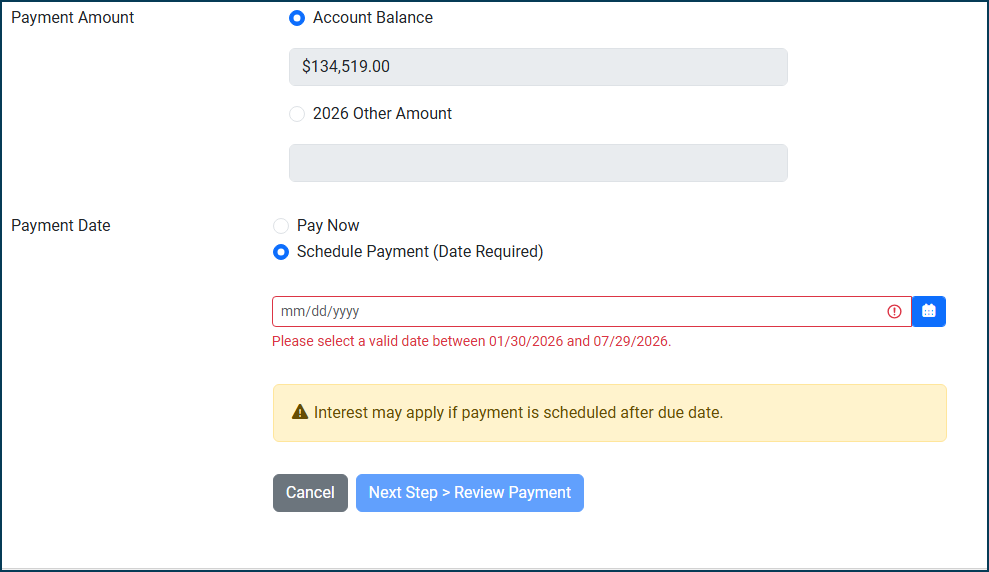
- After confirming your bank account details and the payment amount, you can now select Schedule Payment in the Payment Date section (below). Payments can be scheduled for up to 6 months out.
- After selecting a payment date and reviewing payment details, you will select Submit Payment.
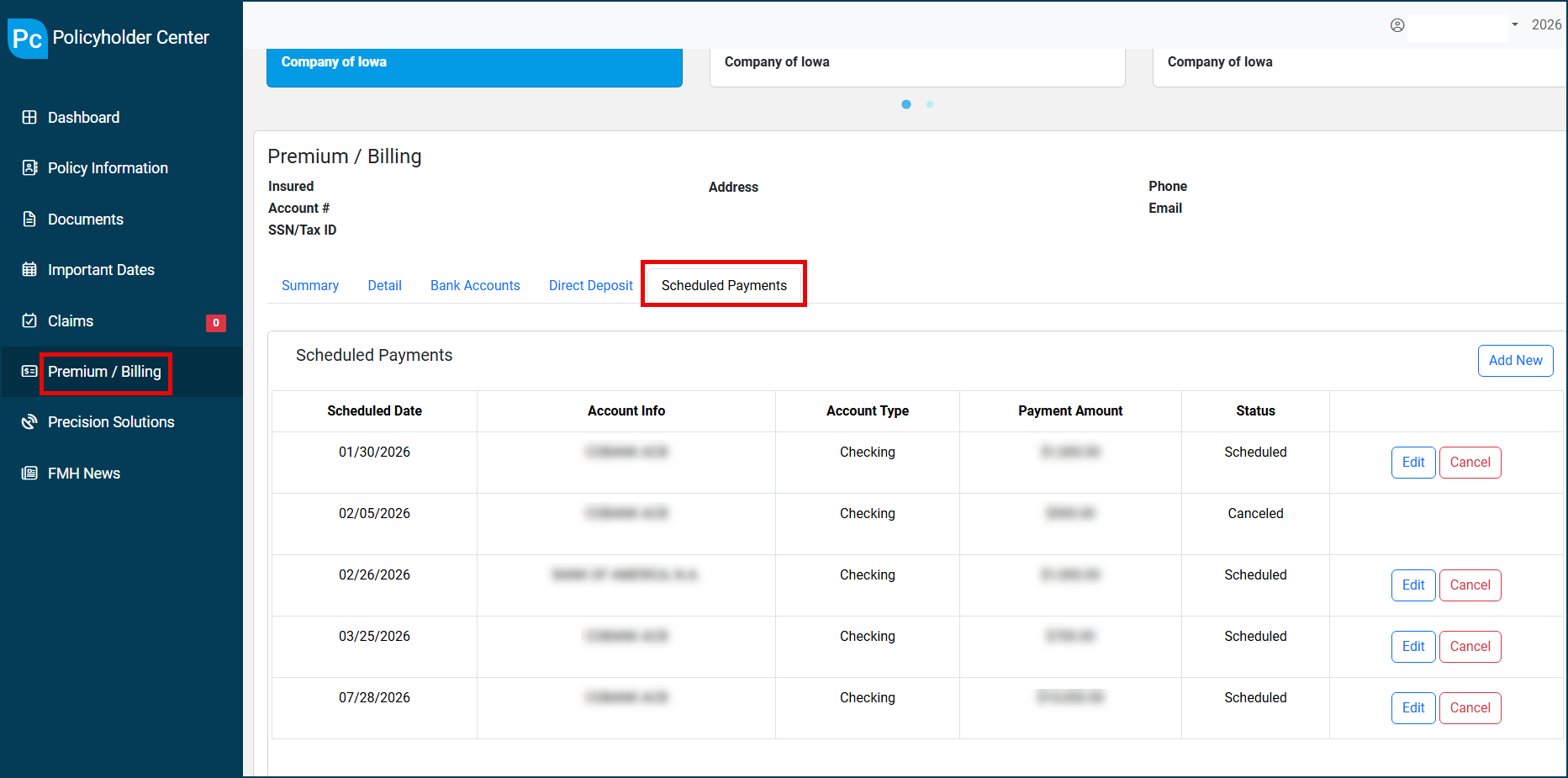
- You can also view, edit, or cancel scheduled payments prior to the payment date from the Scheduled Payments tab in Premium / Billing (below).
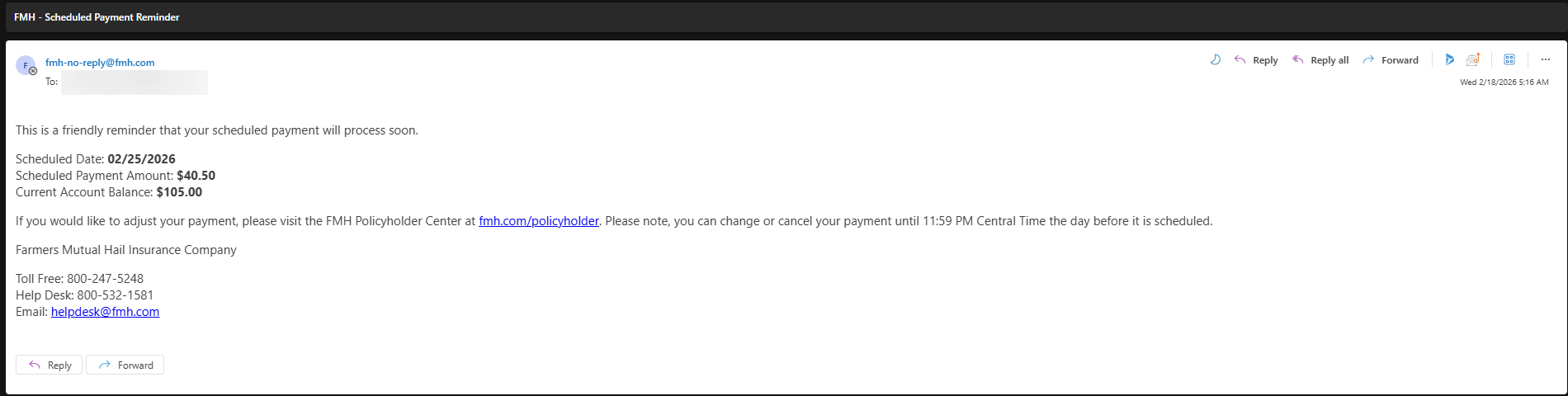
- Payments can be edited or cancelled until 11:59PM CST of the day prior to the scheduled payment date.
- You will receive reminder emails 7 days and 1 day prior to their scheduled payments being processed (below).
- If your Account Balance decreases after a payment has been scheduled, but prior to the payment date, the lesser amount is the amount that will be processed by FMH.
- If your Account Balance increases after a payment has been scheduled, but prior to the payment date, you would need to edit the scheduled payment to cover the difference.
POLICYHOLDER NOTIFICATION
Policyholders will see a pop-up notification when logging into the PHC to notify them of this enhancement. You will also receive a flyer with your billing statements beginning in July with additional information.
Please note that agents do not have the ability to schedule payments for you. This enhancement also cannot be used with FMH Quick Pay.